






Selector: Users by type
SelectorNo. 9245
Synopsis
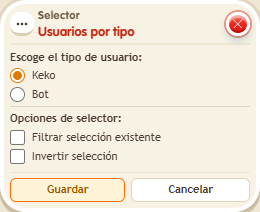
Choose the user type, such as “Keko”, to keep people and leave bots out. Useful to send notices or effects only to the real players in the zone.
Step by step
Send an announcement to people only
Boxes you need
 TriggerTrigger: Say something
- SelectorSelector: Users by type
 EffectEffect: Show message
- Bring two people and, if available, a bot into the room.
- Stack “Says something”, “Users by type” and “Show message” on the same tile. Set the trigger text to “select”.
- Choose “Keko” as the user type; leave filter and invert off.
- In “Show message”, enter “Selected”, use “Users from selector” and the message mode addressed only to the user. Save every box and say “select”.
Result: People receive “Selected”. The bot is excluded.
Settings
Notes
- Leave “Filter existing selection” and “Invert selection” unchecked for this test.