






Effect: Cancel transaction
EffectNo. 9218
Synopsis
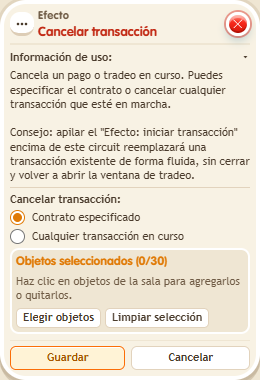
It closes the transaction opened by  Effect: Start transaction before it is confirmed: nothing is charged and the keko keeps what they offered. You can cancel any ongoing transaction of the chosen user. It does not affect manual deposits into a chest. Useful when someone leaves the shop area or time runs out.
Step by step
Close a payment before confirmation
Boxes you need
 TriggerTrigger: Say something
- EffectEffect: Cancel transaction
- EffectEffect: Start transaction


- Place your own gold chest, enable Circuit transactions and unlock it.
- Create a payment contract. Choose “Specific payment” under Payment mode and add 1,000 gold to “Payment option 1”; save the element and the contract. Stack “Says something” (“pay”) and “Initiate transaction”: Normal, that chest, the contract in secondary selection and triggering user.
- On another tile stack “Says something” (“cancel”) and this effect. Choose any current transaction, the triggering user and delay 0. Save.
- The participant says “pay”, offers a Gold Sack without confirming payment, then says “cancel”.
Result: The contract trade closes; the sack remains with the participant and no payment is collected.
Settings
Notes
- Only the chest owner can change its settings and withdraw manually. Owning the island does not make you the owner of other people’s chests. Cancellation affects contract transactions, not manual chest deposits.