






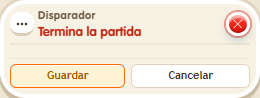
Trigger: Game ends
TriggerNo. 9103
Synopsis
Runs the stack when the  Circuits clock is stopped, for example with
  Effect: Control clock. Pausing the clock does not end the game. No keko triggers this event: to show messages or teleport someone, add a user selector such as
  Selector: Users by name.
Step by step
Announce the game ending
Boxes you need
- TriggerTrigger: Game ends
 TriggerTrigger: Say something
- SelectorSelector: Users by name
- EffectEffect: Control clock
 EffectEffect: Show message
- Place a “Circuit timer” 9302. In one stack, set “Says something” 9111 to “start” and “Control clock” 9231 to start, selecting that timer.
- On another tile, stack this box, “Users by name” 9249 with your name and “Show message” 9185 with “Finished”. Use “Users from selector” and “Entire room” visibility. Save.
- Build a third stack with “Says something” = “stop” and “Control clock” set to stop, selecting the same timer. Say “start”, then “stop”.
Result: The announcement appears when the game stops.
Settings
Notes
- Pausing does not end the game. The selector is needed because this event has no triggering person.
 Trigger: Repeater,
  Trigger: Time reached,
  Trigger: Receive signal,
  Trigger: Game starts and Trigger: Game ends have nobody who triggers them. To show a message or teleport someone, you need a user selector.
- Button 2 on the Circuits clock only works while paused: it stops the clock, sets it back to 00:00 and fires Trigger: Game ends.
- In Effect: Control clock, “start” fires Trigger: Game starts and “stop” fires Trigger: Game ends.