






Trigger: Object lands on object
TriggerNo. 9309
Synopsis
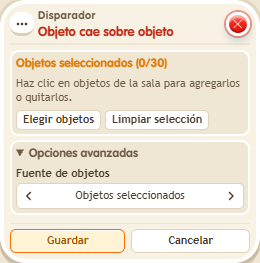
Choose the objects underneath; with none chosen, any object counts. Only objects moved by a circuit or the ball count: moving with the editor does not fire it, and circuits boxes do not count either. No keko triggers it, so add a user selector for messages.
Step by step
Detect an object landing on a BBox
Boxes you need
- TriggerTrigger: Object lands on object
 TriggerTrigger: Say something
 SelectorSelector: Users by name
 EffectEffect: Move object to object
 EffectEffect: Show message
- Place object A and BBox B. Stack A: “Says something” 9111 = “move” and “Object to object” 9234. Use the primary selection for A under objects to move, and the secondary selection for B under target object.
- Stack B: this box selecting only B, plus “Show message” 9185, text “Arrived”. Add “Users by name” 9249 with your name and target “Users from selector” in the message. Save everything.
- Say “move” so the effect moves A onto B.
Result: You receive “Arrived” when A lands on the selected BBox.
Settings
Notes
- Select the objects underneath. Moving A with the editor does not count; falling circuit boxes do not count either.
- In Trigger: Object lands on object, the chosen objects are the ones UNDERNEATH. If you don't choose any, any object counts.
- Trigger: Object lands on object only counts an object moved by a circuit or the ball: if the owner moves it with the editor, it doesn't fire. Circuit boxes don't count.
- Trigger: Object lands on object has nobody who triggers it: for messages or teleports you need a user selector.