






Addon: Progress bar
AddonNo. 9275
Synopsis
It goes on the same tile as the box that defines the variable. You choose the style, such as “Block bar”, the minimum, the maximum, the number of segments, when it shows and for whom. There is a maximum of five displays per stack. Useful to show progress in a quest or race.
Step by step
A block progress bar
Boxes you need
 TriggerTrigger: Say something
- AddonAddon: Progress bar
 EffectEffect: Give variable

- Configure a “User variable” named “progress”, with a value and “While in the room” availability. Put this extra on the same tile as the variable.
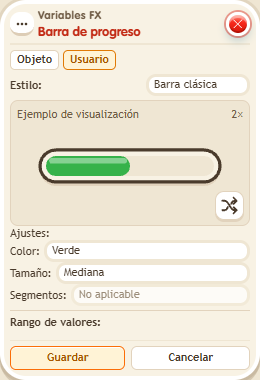
- Open the visual extra. Choose Users in the header and style “Block bar”. Set Min 0 and Max 100. Choose 10 segments. Set display to “Always visible” and audience to “Everyone”. Save.
- On another tile, stack “Says something” = “bar” and “Give variable”. Choose “progress”, triggering user, initial value 50, no overwrite. Save and say “bar” with a keko who does not have that variable yet.
Result: The bar shows half of its 10 segments filled.
Settings
Notes
- The variable is linked by sharing its tile; this window has no main variable picker. Test each extra separately: a stack supports at most five visual displays.