






Condition: Chest has object type
ConditionSpecial requirementsNo. 9182
Synopsis
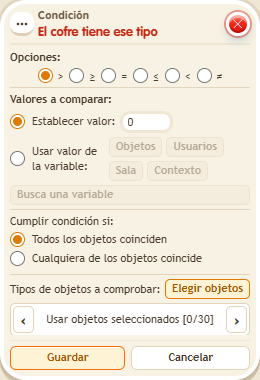
Pick the object type by marking a placed copy, the  Object chest to check, the comparison and the amount. The copy in the zone only sets the type: it is not put into the chest. Useful to know whether a shop still has a specific prize in stock.
Step by step
Find an object type inside a chest
Boxes you need
 TriggerTrigger: Say something
- ConditionCondition: Chest has object type
 EffectEffect: Show message
- Stack “Says something” 9111, this condition and “Show message” 9185. Set the trigger to “hello”, exact match; set the effect to “Matched”, targeting the triggering user.
- Place an empty “Object chest” 9306 and an ordinary depositable object for which you have another copy in your backpack.
- In the condition, select the placed copy under “Object types to check”, using the primary selection. Under “Chests”, use the secondary selection and select only the chest.
- Choose comparison >, fixed value 0, and require all chests to match. Save. Say “hello” with the chest empty. Then deposit the backpack copy and repeat.
Result: The empty chest does not match; once it contains a copy of the selected type, the message appears.
Settings
Notes
- You need inspection and deposit permission. The placed copy only specifies the type; saving this condition does not move it into the chest.