






Selector: Filter users
SelectorNo. 9255
Synopsis
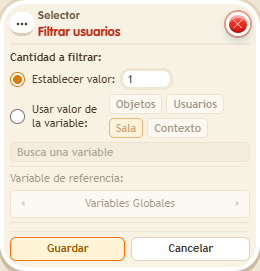
Choose how many kekos to keep; each firing draws again and may pick the same one. It applies after the other selectors in the stack. Perfect for randomly choosing who starts, who is “it” or who wins a prize.
Step by step
Pick one of three people at random
Boxes you need
 TriggerTrigger: Say something
- SelectorSelector: Filter users
 SelectorSelector: Users by name
 EffectEffect: Show message
- Prepare three people in the room. Stack “Says something” = “select”, “Users by name”, “Filter users” and “Show message”.
- In the first selector, enter all three names, one per line.
- In the filter, choose “Set value” and quantity 1.
- In “Show message”, enter “Selected”, use “Users from selector” and the message mode addressed only to the user. Save every box and say “select”.
Result: On each trigger, exactly one of the three people receives the message.
Settings
Notes
- The random choice is made on every trigger and may repeat a result. Filters run after selectors.
- Filter boxes always run after the selectors, regardless of height.
 Selector: Filter objects and Selector: Filter users pick at random on every trigger.