






Addon: Execute in order
AddonNo. 9266
Synopsis
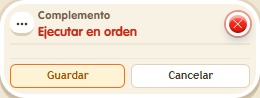
Effects run by their height in the stack: the lowest first. For the order to show, use the same delay on all of them. It does not change the fixed order for variables (give, change, remove). Useful for message sequences or steps that must follow each other.
Step by step
Run messages from bottom to top
Boxes you need
 TriggerTrigger: Say something
- AddonAddon: Execute in order
 EffectEffect: Show message
- Stack “Says something” and three “Show message” boxes on one tile. Set the trigger text to “test”. Each message targets the triggering user, uses user-only mode and delay 0. Enter “One”, “Two” and “Three”, one per box.
- Arrange the message boxes at different heights: “One” at the bottom, “Two” in the middle and “Three” at the top. Keep them on the same tile.
- Add “Execute in order”, save and say “test”.
Result: Messages appear in the order One, Two, Three.
Settings
Notes
- Use the same delay on all three messages. This extra does not change the special give/change/remove variable order.