






Trigger: Receive signal
TriggerNo. 9129
Synopsis
Connects stacks on different tiles: one stack sends with  Effect: Send signal and this one receives, as long as both point to the same
  Circuits antenna. Users and objects carried by the signal are picked up with
  Selector: Users from signal and
  Selector: Objects from signal. Use it to split big circuits into reusable pieces.
Step by step
Connect two stacks through an antenna
Boxes you need
- TriggerTrigger: Receive signal
 TriggerTrigger: Say something
- EffectEffect: Send signal
 EffectEffect: Teleport to object
- Place an antenna 9296 and a rug. Stack A: “Says something” 9111 = “call” and “Send signal” 9211, selecting the antenna and sending the triggering user.
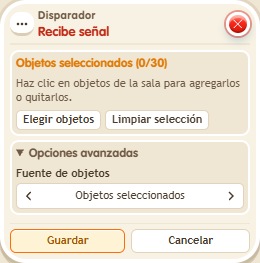
- Stack B: this box with that antenna selected and “Teleport to object” 9186, targeting the rug and users from the signal. Save both stacks.
- Say “call”.
Result: The signal connects the stacks and takes you to the rug.
Settings
Notes
- The stacks can occupy different tiles; both must point to the same antenna.
 Trigger: Repeater,
  Trigger: Time reached, Trigger: Receive signal,
  Trigger: Game starts and
  Trigger: Game ends have nobody who triggers them. To show a message or teleport someone, you need a user selector.