






Selector: Objects by type
SelectorNo. 9244
Synopsis
Marking one copy is enough to take all copies of that catalogue object. With “Only select objects if the state matches” it keeps only those in the same state. Ideal for switching all identical lamps or moving every piece of one kind.
Step by step
Move every copy of an object
Boxes you need
 TriggerTrigger: Say something
- SelectorSelector: Objects by type
 EffectEffect: Offset object position
- Place two objects of the same catalogue type, A and B, and a different type C, each with a free destination to its right.
- On a separate tile, stack “Says something”, “Objects by type” and “Move object by offset”. Set the trigger text to “move”.
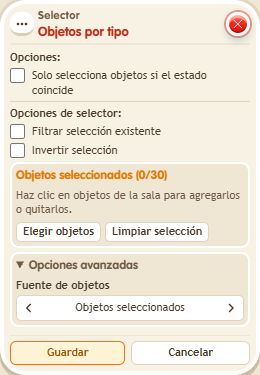
- In “Objects by type”, select only A and uncheck “Only select objects if the state matches”.
- In “Move object by offset”, use “Objects from selector”, X to the right by 1 tile, Y by 0 and delay 0. Save every box and say “move”. Keep each destination tile free.
Result: A and B move; C does not. Only one example of the type had to be picked.
Settings
Notes
- Leave “Filter existing selection” and “Invert selection” unchecked for this test.
- Selector: Objects by type selects the same catalogue object.