






Condition: Owns the object
ConditionNo. 9159
Synopsis
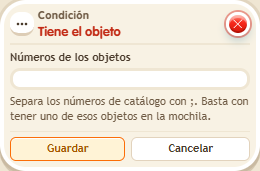
Enter the object’s catalogue number, not the id of a placed copy. Only items really in the backpack count: not placed ones, items on the market or clan items. Use it to require an object as a ticket or key.
Step by step
Check for a Gold Sack in the backpack
Boxes you need
 TriggerTrigger: Say something
- ConditionCondition: Owns the object
 EffectEffect: Show message
- Stack “Says something” 9111, this condition and “Show message” 9185. Set the trigger to “hello”, exact match; set the effect to “Matched”, targeting the triggering user.
- Enter 361, the Gold Sack catalogue number, in the condition and use the triggering user. Save everything.
- Participate with a Gold Sack in your backpack and say “hello”. Store or place that sack outside the backpack and repeat, leaving no other copy inside.
- Participate with a Gold Sack in your backpack and say “hello”. Place that sack in the room and repeat, leaving no other copy in your backpack.
Result: The message appears only while you have a copy in your backpack.
Settings
Notes
- The number identifies the object type; do not enter an individual placed copy’s identifier.
- Condition: Owns the object only counts what's really in the backpack: not an object that's placed, on the market or in the clan.