






Addon: Movement curve
AddonNo. 9286
Synopsis
You choose the curve's strength and the object reaches the same tile, but along an arc. It only changes the animation, not the destination chosen by the movement effect. Useful for flashier jumps, bounces or throws.
Step by step
Add a curve to a movement
Boxes you need
 TriggerTrigger: Say something
- AddonAddon: Movement curve
 EffectEffect: Move and rotate object
- Place an object with several free tiles to its right. On another tile stack “Says something” = “move” and “Move and rotate object”. In the effect, manually select that object, movement right, no rotation and delay 0.
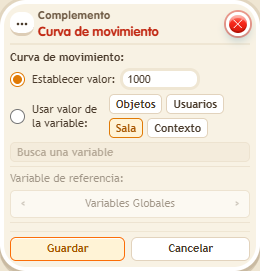
- Add “Movement curve”. Choose “Set value” and strength 300.
- Save all boxes and say “move”. Wait for it to finish before repeating.
Result: The object reaches the same destination tile along a curved animation.
Settings
Notes
- The curve changes the animation, not the destination tile chosen by the effect.
- A freshly placed
 Addon: Projectile applies curve 50 to everything the stack moves.