






Trigger: Step on an object
TriggerNo. 9117
Synopsis
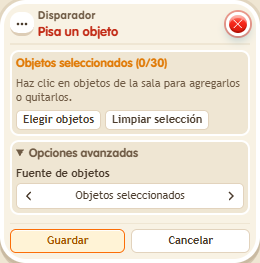
Select the specific placed objects in the zone; each new step onto them runs the stack again. The keko stepping on is the triggering user. It is the classic box for start mats, traps, finish lines and floor buttons.
Step by step
An alert when stepping on a rug
Boxes you need
- TriggerTrigger: Step on an object
 EffectEffect: Show message
- Stack this box with “Show message” 9185, enter “Ready” and target the triggering user. Save each box. Select a rug in the trigger.
- Step onto the rug, step off and return.
Result: Each new arrival on the rug shows “Ready”.
Settings
Notes
- Select the specific object instance in the room and save the selection.
- A muted user cannot trigger a stack by speaking. Use another action, such as stepping on an object, to unmute them.
Related
Used in these recipes