






Effect: Fixed blue collision
EffectNo. 9206
Synopsis
The object does not move: when it runs, each keko standing right on top fires  Trigger: Object hits a user, and that other stack decides what to do with them. Only kekos on the object count; to include surrounding tiles use
  Effect: Fixed orange collision. Useful for traps or capture zones.
Step by step
Detect a keko on an object
Boxes you need
 TriggerTrigger: Say something
- TriggerTrigger: Object hits a user
- EffectEffect: Fixed blue collision
 EffectEffect: Show message
- Place a walkable object A. Stack “Says something” (“collision”) and this effect; select A, period 0 and delay 0. Save.
- On another tile stack “Collision” and “Show message”. Enter “Caught you”, visible to the triggering user, and save.
- Stand on A and say “collision”.
- Move two tiles away from the object and repeat the word.
Result: The first test shows the message because you are on the object; the second does not.
Settings
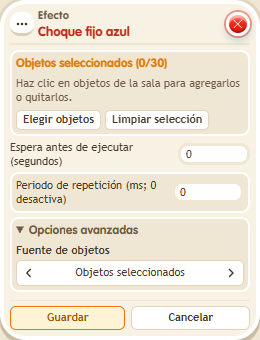
Notes
- The object stays still. The effect fires “Collision”, and the other stack decides what to do with the keko.
- Effect: Fixed blue collision only catches whoever is on top; Effect: Fixed orange collision also catches the 8 surrounding tiles.