






Effect: Previous state
EffectNo. 9188
Synopsis
In BoomBang the only object where it has a practical effect is the  Circuits clock: on it, it uses the start control and does not subtract time. To change the clock's seconds use
  Effect: Adjust clock, and for dice or roulettes use
  Effect: Random state. On most objects you will see no change.
Step by step
Activate a clock through previous state

- Place a new circuit clock. On another tile stack “Says something” and “Previous state”.
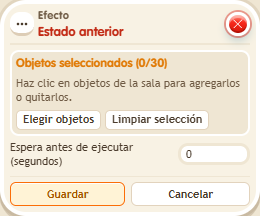
- Set the trigger to “back”. Select only the clock in the effect, use delay 0 and save.
- Say “back” and wait two seconds to check that the clock advances.
- Say it again to check the clock's pause behavior.
Result: On a clock, this effect uses its start/pause control; it does not subtract a second.
Settings
Notes
- Use “Adjust clock” to subtract time. This recipe is derived from the current clock implementation.
- Effect: Previous state only works on the Circuits clock: it starts it, it doesn't pause it.