






Selector: Selected objects
SelectorNo. 9242
Synopsis
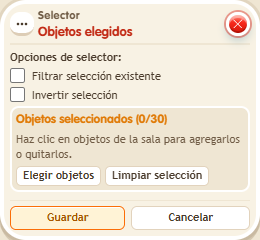
Mark the objects you want one by one; only those receive the effects. It is the most direct selector for doors, moving scenery or game pieces. Like every selector, it offers “Filter existing selection” and “Invert selection”.
Step by step
Move only the objects you mark
Boxes you need
 TriggerTrigger: Say something
- SelectorSelector: Selected objects
 EffectEffect: Offset object position
- Place three separate objects A, B and C, with free destinations to their right.
- On a separate tile, stack “Says something”, “Selected objects” and “Move object by offset”. Set the trigger text to “move”.
- In “Picked objects”, use manual selection and choose only A and C.
- In “Move object by offset”, use “Objects from selector”, X to the right by 1 tile, Y by 0 and delay 0. Save every box and say “move”. Keep each destination tile free.
Result: A and C move one tile; B remains in place.
Settings
Notes
- Leave “Filter existing selection” and “Invert selection” unchecked for this test.