






Effect: Team collision
EffectNo. 9208
Synopsis
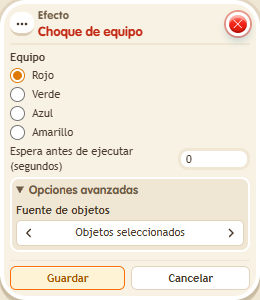
Choose a team: its members fire  Trigger: Object hits a user as if they had collided, while kekos outside that team do not. It does not move objects. Do not chain it from the collision trigger itself: that loop is prevented automatically. Useful to apply something to a whole team at once.
Step by step
Trigger a collision for the red team
Boxes you need
 TriggerTrigger: Say something
- TriggerTrigger: Object hits a user
- EffectEffect: Team collision
 EffectEffect: Join team
 EffectEffect: Show message
- Prepare “Says something” (“red”) + “Join team”: red, Circuits type, triggering user. Save and say “red”.
- Prepare another stack: “Says something” (“collision”) + “Team collision”. Choose red, delay 0, and save.
- On a third tile stack “Collision” with a private “Red collision” message for the triggering user.
- Say “collision” with a second keko who has no team present.
Result: Red-team members receive the collision stack's message; the keko without a team does not.
Settings
Notes
- It does not move objects. Do not chain this same effect from “Collision”: the engine prevents that recursion.