






Selector: Users by name
SelectorNo. 9249
Synopsis
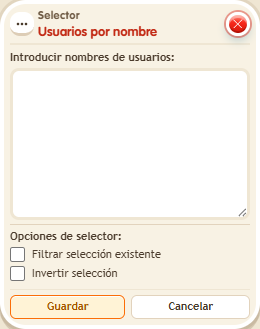
Enter one exact name per line. If someone leaves the zone they are no longer found, and they are not replaced by the triggering keko. It is the simplest way to give a keko to triggers that have no person, like a repeater or the clock.
Step by step
Choose two people by name
Boxes you need
 TriggerTrigger: Say something
- SelectorSelector: Users by name
 EffectEffect: Show message
- Ask two people to enter the room. Copy their exact names.
- Stack “Says something”, “Users by name” and “Show message” on the same tile. Set the trigger text to “select”.
- Enter one name per line in the selector and leave filter and invert unchecked.
- In “Show message”, enter “Selected”, use “Users from selector” and the message mode addressed only to the user. Save every box and say “select”.
Result: Only people whose names you entered receive the message.
Settings
Notes
- When someone leaves the room, the selector no longer finds them. The triggering user is not used as a substitute.
Related
Used in these recipes